
How to Create a Website from Scratch
(Step by Step Beginners guide)
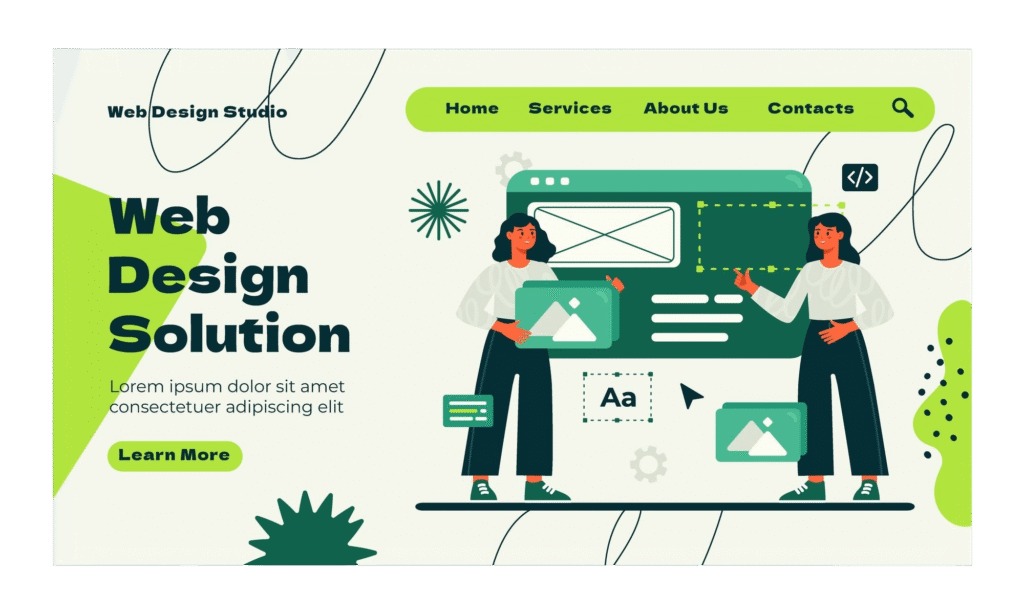
Creating a website is not an easy task. With the help of WordPress and Hostinger, you can build a website without any coding knowledge. In this blog, I will tell you step by step how to build a website easily, from choosing a domain to launching a website. If you want to build a website (WordPress), read the 10 steps in this blog.
Table of Contents
1. Choosing a Domain Name
2. Buying Hosting on Hostinger
3. Installing WordPress on Hostinger
4 Choosing a WordPress Theme
5 Adding Pages to the Website
6. Customizing the Website
7 Installing Required Plugins.
8 Website Speed and Progress
9. Testing
10. Launching the Website
1. How to create a Website :Choosing a Domain Name -Build a Website
A domain name is the address of our website (for example: yourwebsite.com).So we should choose a name like this.
- It should be easy to read and remember
- It should be short and simple
- It should be related to the brand or topic
You can check directly on Hostinger to see if the domain name is available
Tips - In a domain name, it is better not to use numbers and hyphens
- If possible, use .com
- It should be related to the brand or topic
You can check directly on Hostinger to see if the domain name is available.
2. Buying Hosting on Hostinger
All of the files for your website are kept on web hosting. A trustworthy hosting company guarantees that your website loads quickly and remains up.
Reasons to choose Hostinger:
- Fast Loading time
- Reasonable prices
- SSL certificate FREE
- Easy access dashboard
- One-click easy installation of WordPress
Based on your website’s requirements, choose a hosting plan. A shared hosting plan is more than sufficient for novices to get started.
3.WordPress installation on Hostinger
Millions of websites worldwide utilise WordPress, a robust and user-friendly content management system (CMS).
Installing WordPress:
- Open the Hostinger dashboard and log in
- Make use of Auto Installer
- Choose WordPress
- Put your website’s name and admin information here
- Finish the installation
Your WordPress website will be operational in just a few minutes. Learn more
4. Choosing a WordPress Theme
Your website’s design and style are managed by a WordPress theme. Selecting the appropriate theme is crucial for both look and performance.
Advice for choosing a theme:
- Choose a quick and light theme
- Select a theme that is mobile-friendly
- Verify plugin compatibility
Select a theme to build a website that fits the purpose of your website (company, blog, portfolio).
Astra, Hello, OceanWP, and GeneratePress are popular themes that are suitable for beginners.
5.Adding Pages on the Website
Your website is built on pages. They aid in visitors’ comprehension of your identity and services.
Important pages that any website should have:
- Home
- About
- Products/Services
- Portfolio
- Contact Us
- Policy on Privacy
The Pages > Add New feature in WordPress makes it simple to add pages. Make sure the material is user-focused, clear and straightforward. Learn More
6.Customizing the Website
Customization makes your website more consistent and attractive with your brand.
You can alter:
- Logo and Colour
- Typography and font choices
- Header and Footer
- Navigating and menus
- Spacing and layout
To create visually appealing pages without knowing any code, use a page builder like Elementor or the WordPress Customizer to buila a website.
7. Installing Required Plugins
Plugins provide your WordPress website with more functionality. Choose carefully, though, as installing too many plugins can cause your website to slow down.
Essential plugins for novices:
- SEO (search engine optimization) plugin
- Security plugin (to safeguard your website)
- Caching plugin (for speed enhancement)
- Backup Plugin (to save your data)
- Contact forms Plugin
Plugins enhance user experience, security, performance, and SEO.
8.Website Speed & Performance
Website speed is one of the most important ranking factors for SEO and consumer pleasure. Conversions might be decreased and bounce rates raised by a slow website.
How to increase a website’s speed:
- Use light themes
- Optimize images
- Activate caching
- Make use of a content delivery network (CDN)
- Opt for quick hosting
User experience and Search engine rankings are both enhanced by a website that loads quickly.
9. Testing the Website
Testing is essential before publishing your website to prevent mistakes and malfunctioning components.
What should be tested?
- Mobile Responsiveness
- Page Loading Speed
- Contact Forms
- Links for navigation
- Compatibility of browsers
Testing ensures that your website is working properly across all users and devices.
10. Launching the Website
When everything is complete and tested, it’s time to launch your website.
Before launch, the last checklist:
- Basic SEO
- SSL Certificate is active
- Every page is completed
- Forms are operating
- The content is reviewed
Once your website has launched, submit it to search engines and begin using social media, content marketing, on-page SEO, off-page SEO and Technical SEO to promote it.
Concluding Thoughts -Build a website easily
How to create a website from scratch, it only takes the correct advice and resources– technical expertise is not necessary. You can build a professional, quick, and SEO-friendly website that brings visitors and advances your company’s objectives by following this methodical process. To read more, visit here.
A well-designed website is more than simply an online presence; it’s a powerful tool for visibility, growth and trust.
Frequently Asked Questions
The features and type needed determine how much it costs to construct a website. A basic business website may cost ₹10,000–₹25,000, while advanced or eCommerce websites can range from ₹30,000 to ₹1,00,000 or more. Design, functionality, hosting, and maintenance requirements all affect the final cost.
Yes, you may use tools like WordPress, Wix, or Shopify to create a website without knowing any code. These tools offer drag-and-drop builders that make it easy to design and manage a professional website without technical skills.
The complexity and features of a website determine how long it takes to construct. A basic business website can take 5–10 days, while larger or eCommerce websites may take 2–4 weeks. Proper planning, content readiness, and clear requirements can speed up the process.